If you’ve ever stared at a blank screen trying to figure out what to post on Pinterest next, you are definitely not alone. One of the biggest mistakes creators make is waiting until the last minute to create content. Not only does that lead to burnout, but it also makes Pinterest feel way harder than it actually is. Wouldn’t it be easier if you could plan a month of Pinterest in just one sitting?
The good news? That all changed when I started using AI to do the heavy lifting.
Instead of spending hours brainstorming blog ideas, writing pin descriptions, researching keywords, and creating titles one by one, I now use AI to do the heavy lifting entire month of Pinterest content in one sitting.
And honestly? It saves me an insane amount of time.
In this post, I’m going to walk you through exactly how I use AI to batch Pinterest content faster, stay consistent, and come up with better ideas without feeling creatively drained.
Why Pinterest Creators Are Using AI
Pinterest is one of the best traffic drivers for home decor bloggers — but keeping up with it consistently is a whole other story. For the longest time, I’d create one pin, feel good about it, and then not post again for two weeks because I had no idea what to make next.
On top of that, writing pin descriptions felt tedious. Coming up with fresh titles for the same seasonal topics over and over? Exhausting. And don’t even get me started on trying to figure out the right keywords while also designing, writing, and scheduling everything.
That said, I knew consistency was the key to growing on Pinterest. The platform rewards accounts that show up regularly — not the ones who post 10 pins in one day and then disappear for a month.
That’s when I started experimenting with AI as a content planning partner, and it completely transformed my workflow
What AI Actually Does in My Pinterest Planning
Before I walk you through my process, I want to be clear about something: AI isn’t doing my job for me. It’s more like having a really smart assistant who never gets tired and always has ideas ready.
Specifically, AI helps me with three things. First, it brainstorms pin topics I might not have thought of on my own. Second, it drafts pin titles and descriptions that I can then tweak to sound like me. And third, it helps me think through keyword angles so my content actually gets found.
What AI doesn’t do is replace my voice, my photos, or my knowledge of my audience. That part is still 100% mine. Think of it this way — AI gives me the raw material, and I shape it into something that feels authentic and on-brand.
Once I understood that, the whole process stopped feeling weird and started feeling incredibly practical.
How I Plan a Full Month of Pinterest Content in One Sitting
Here’s my exact step-by-step process. The whole thing takes me about 90 minutes, and I walk away with a complete month of Pinterest content ready to design and schedule.
- Pick my monthly themes. I start by deciding on 2–3 content themes for the month based on what’s seasonal and relevant to my audience. For example, in August I might focus on fall transition decor, cozy living room updates, and back-to-routine organization.
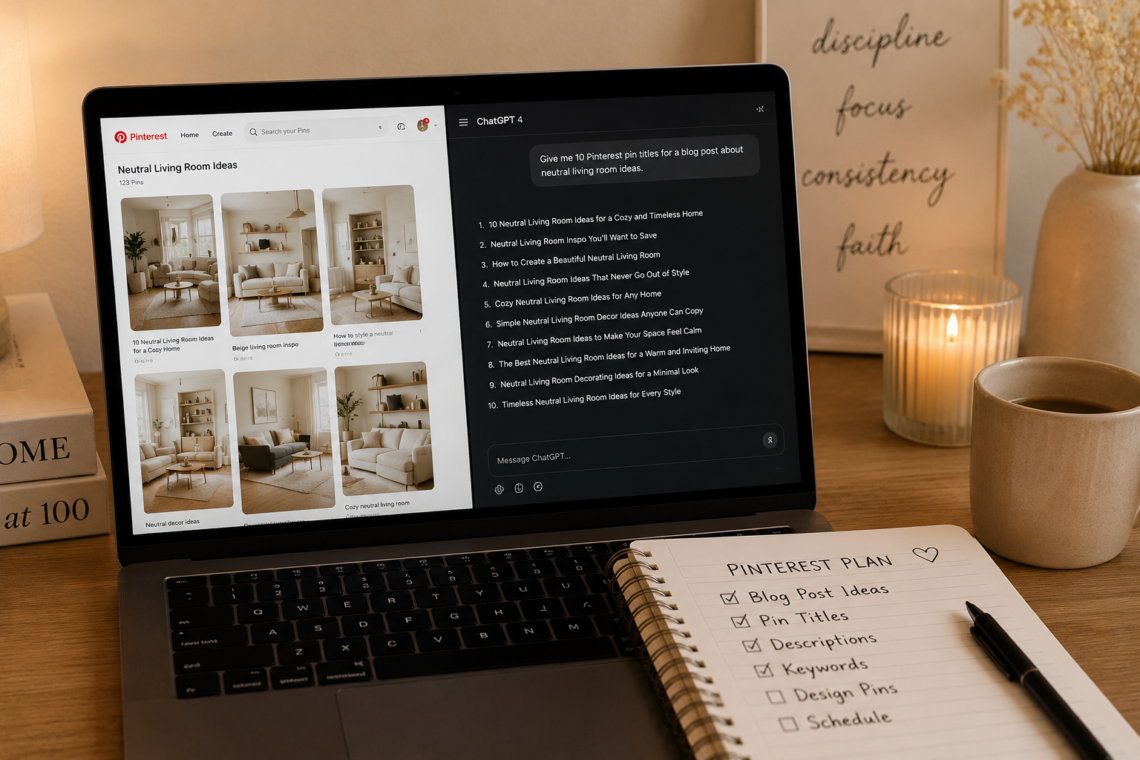
- Ask AI to generate pin ideas. For each theme, I ask AI to give me 10–15 pin title ideas. I don’t use all of them — but having a big list means I can pick the strongest ones without feeling stuck.
- Draft pin descriptions in batches. Once I have my titles locked in, I ask AI to write descriptions for each one. I give it my focus keyword and a quick note about my tone, then I edit the drafts to sound more like me.
- Design in Canva. With my copy ready, I open Canva and batch-create all my pin designs at once. Having the titles already written makes this so much faster.
- Schedule everything. Finally, I load my pins into my scheduler and I’m done. One sitting, one month handled.
Additionally, I keep a running doc where I save my best AI prompts so I don’t have to reinvent the wheel each month.
The Prompts I Actually Use
This is the part most people want to know — so here are the actual prompts I use every month. Feel free to copy and adapt these for your own niche.
For pin title ideas: “Give me 15 Pinterest pin title ideas about [topic] for a home decor audience. Make them specific, keyword-rich, and click-worthy. Mix listicles, how-tos, and inspirational angles.”
For pin descriptions: “Write a Pinterest pin description for a pin titled ‘[your title]’. The focus keyword is ‘[keyword]’. Keep it under 200 words, conversational, and end with a soft call to action. My tone is warm and practical.”
For keyword research: “What are the best Pinterest keywords for [topic]? Include a mix of broad and long-tail keywords. Focus on home decor and seasonal styling.”
On top of that, I sometimes ask AI to suggest the best time of year to post certain topics, or to help me come up with fresh angles on content I’ve already covered. The more specific you are in your prompts, the better your results will be.
How to Stay Consistent Without Burning Out
Even with AI making the process faster, consistency still requires a system. Here’s what works for me.
First, I block off one planning session per month — same day, same time, every month. Treating it like an appointment means it actually happens. Next, I aim for 3–5 pins per week rather than trying to post daily. That’s a manageable number that keeps the algorithm happy without overwhelming me.
That said, I always make sure the final content still sounds like me. I never publish AI-drafted descriptions word for word — I always read through and add a phrase here, change a word there, so it fits my voice. Your audience follows you because of you, and that personal touch is worth the extra five minutes.
Finally, keep in mind that you don’t have to plan a full month all at once when you’re starting out. Even batching two weeks of content is a huge win. Start small, build the habit, and scale up from there.
My Final Thoughts
In the end, using AI for Pinterest planning isn’t about cutting corners — it’s about working smarter so you have more time and energy for the parts of your business that really need you. The content still reflects your style, your niche, and your voice. AI just helps you get it out of your head and onto the screen faster.
If you’ve been struggling to stay consistent on Pinterest, I hope this gives you a practical place to start. Save this post so you can come back to it when you’re ready to plan your next month — and drop a comment below telling me your biggest Pinterest challenge right now. I’d love to help!